
SVGA Maker
Free account requiredTurn a video or GIF into an SVGA animation
Upload a short clip and download an .svga file with a transparent background, for gifts and effects in your app.
Every account gets 10,000 free minutes every month for video, voice and chat in your app.How the free minutes work
VoltKit RTC · Realtime API
₹99 (≈ $1.04)/ 1,000 participant-minutesVideo + HD voice. Chat included; music included for video participants.
Build video calls, voice rooms and live shows with one API. Start testing free, then pay only for what you use.
Every account gets 10,000 free minutes every month, shared by all your projects. Have an account? Open the RTC console
Free realtime chatHD music included for video participantsFree 3D gifts to claim
SVGA Maker
Free account requiredUpload a short clip and download an .svga file with a transparent background, for gifts and effects in your app.
VoltKit is a realtime platform. The extras: 86 free tools and 10 quick games, no account needed.
For the apps you build. SVGA Maker, 3D gifts and the free tools further down this page are extras.
Choosing a video API?Free minutesWhy VoltKitLow-cost video calling APICompare video APIs
By platform:JavaScript SDKReact SDKReact Native SDKFlutter SDKAndroid SDK
One balance. So much more.
1,000 video participant-minutes with HD audio included. Add money once. Your projects share one wallet, and only the time each participant uses is deducted.
₹39 (≈ $0.41)
per 1,000 participant-minutes
Up to 64 kbps
₹49 (≈ $0.52)
per 1,000 participant-minutes
Up to 128 kbps
₹99 (≈ $1.04)
per 1,000 participant-minutes
Up to 1080p/30, HD audio included
Prices are in Indian rupees; dollar figures are approximate, at ₹95 per US dollar on 24 October 2026, for orientation only. You are billed in rupees.
Choose a recharge amount for your central wallet.
Use video, voice and chat across your projects.
Each participant uses one media rate at a time. HD audio is included with video.
Credits fund time; they are not minutes. At this video rate, 100 participant-minutes use ₹9.90 (≈ $0.10) of base wallet value. Spend the rest on more video or voice as you need it.
One person × one minute = one participant-minute. Base video uses 30 fps; 60 fps upgrades cost extra. Free gifts can be claimed separately; premium gifts are sold separately.
10 people × 100 minutes = 1,000 participant-minutes. Standard wallet rates at the current recharge conversion, before any recharge charges. Project contract rates may differ. Your free and previously bought minutes are used first. Unused wallet value remains available for later usage.
Free every month
Every account gets 10,000 free participant-minutes every month, shared by all your projects, at any quality. Use them up and the rest is billed from your wallet or plan at the same rates; they reset on the 1st of each month (UTC).
VoltKit RTC
Free account requiredEvery project gets an App ID, API secrets and a usage report, and draws on one prepaid wallet for your whole account. Use one product or all of them in the same event: co-hosts in a room, the audience watching, everyone in the same chat.
What you can build
Live video and voice
Hosts and co-hosts publish camera and microphone; viewers watch, raise a hand and can be brought on stage, with every role checked by the server.
Realtime conversations
Chat in live rooms or on its own, with direct messages, history, typing indicators and moderation.
Music on air, not picked up by the mic
A song from inside your app reaches the room clean, never picked up by the microphone, with a switch of its own.
Rooms
Chat runs alongside: everyone in the room shares one channel.
Three kinds of app, each with what VoltKit does, what your app builds, code from the docs and what it costs.
Sign up free and verify your account from your profile: it takes a minute. Then create an RTC project in the console and copy its App ID and API secret. Every account gets 10,000 free participant-minutes every month, shared by all your projects, at any quality.
Create a room with your secret, and mint a short-lived token for each user. Your server decides everyone's role.
Hand the token to your app in the browser, React, React Native, Flutter or Android. It joins over a WebSocket, sends and receives media over WebRTC, and the SDK handles reconnection.
10 MIT-licensed SDKs with the same vocabulary on every platform: the browser, React, React Native, Flutter and Android, and Node.js, Python, Go, PHP and Java on the server.
The native iOS SDK is being written. Flutter targets iOS 13 and later; VoltKit has tested it on Android, not yet on an iPhone.
No SDK for your stack? The REST API is plain HTTPS, and the API reference lists the realtime room and chat methods. For the media protocol, ask us for the guide.
Every project has its own App ID and API secrets. A secret is shown once, stored only as a hash, and can be rotated without downtime.
Your server hears when rooms start and end, and when people join and leave, with retries.
Wallet balances, usage by project and media tier, and daily charts for rooms and chat.
Every error has a short, stable code. The docs say which codes to retry, and every SDK flags them for you.
Rooms draw from one VoltKit Wallet. One person connected for one minute is one participant-minute, recorded in seconds and billed at the rate of the media actually used: voice, HD voice, or Full HD video with HD audio included, with rates in credits per 1,000 participant-minutes. Recharge in INR; free and previously bought minutes stay on your account and are always used first.
See pricingHow usage is measuredPricing in IndiaCompare with Agora and othersWhat a month really costs
SVGA Maker
Free account requiredSVGA is the animation format live-streaming and social apps use for gifts, badges and entrance effects. Upload an MP4, MOV, WebM or GIF up to 20 MB by default and download an .svga file whose frames keep a full alpha channel.
Conversions are free with login and daily and monthly limits. The default allowance is 20 per day and 100 per month. Your Tools page shows the current limits and your conversion history.
Have an account? Open SVGA Maker
A viewer sends a gift
Your app shows the gifts and their prices, and asks your server to send one.
Your server posts it to the room's chat
After checking the purchase, your server posts a chat message of type “gift” from “system”, the server SDK's default sender, with the buyer and the gift in its data.
Every app in the room plays it
Each app plays a gift only when it comes from “system”, using the matching .svga in an SVGA player. A viewer's app can only send under its own identity.
SVGA files play in the open-source players for Android (SVGAPlayer-Android), iOS (SVGAPlayer-iOS), Flutter (svgaplayer_flutter) and the web (SVGAPlayer-Web). How gift messages work
An add-on for live apps. Premium 3D gifts for live and social apps. Browse watermarked previews. Sign in to view prices.
 Golden wolf VIP profile card 1080p SVGAWatermarked preview
 Gold avatar frame design fb47b88d 1080p SVGAWatermarked preview
 Animated wolf data card affcf04f 1080p SVGAWatermarked preview
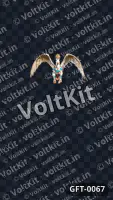 SVIP SVGA ENTRY EFFECT Pegasus diving and rearing pose 1080pWatermarked preview
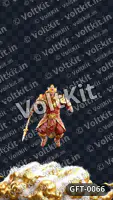 SVIP ENTRY EFFECT SVGA ANIMATION Monkey king battling guardian 1080pWatermarked preview
 SVIP ENTRY EFFECT SVGA Twin Dragon Battle — Fire vs LightningWatermarked preview
 Golden deer entry animation 1080p svga animation entry effectWatermarked preview
 SVIP ENTRY EFFECT SVGA Thunder Tiger King — Surprise Attack & RoarWatermarked preview
 Festive reindeer animation entry 1080p SVGA entry effect animationWatermarked preview
 Unicorn running and rearing pose 1080p premium svga animation entry effectWatermarked preview
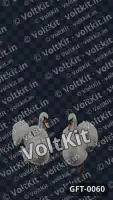 Royal swan entry animation 1080p entry effect svga animationWatermarked preview
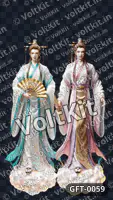 Celestial cloud retainers entering 1080p entry effect svga animationWatermarked preview
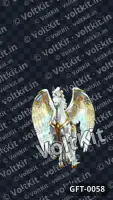 Pegasus spreading wings animation 1080p entry effect svgaWatermarked preview
 Santa Claus grand entry animation 1080p Entry Effect svgaWatermarked preview
 Royal crown entry animation, high qualityFree · Watermarked preview
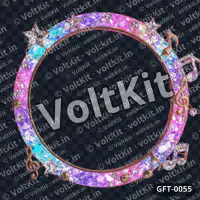 Neon crystal profile frame animation 1080pWatermarked preview
Made for your live moments
Use our free 3D gifts in your live rooms and voice communities. Sign in, claim gifts marked Free, then download the originals and add them to your app’s gift picker or effects.
Royal crown entry animation, high qualityFree · Preview Royal crown entry animationFree · Preview
 Red rose blooming animationFree · Preview
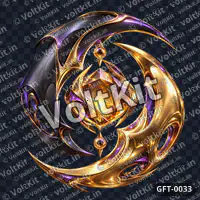 Eclipse Crest with Amber CoreFree · Preview
Free claims follow the gift licence. Premium gifts are sold separately. Add gift rendering in your own app.
 Your room. Your layout. Powered by VoltKit.
Example screens: you build them in your app with VoltKit's SDKs. The audio price is standard voice; HD voice, music on voice and premium gifts are priced separately.
86 tools and 10 quick games, no account needed. Most tools run in your browser, so your files stay on your device.
What do you need?
Popular searches: compress image · merge pdf · what is my ip · speed test · json formatter · qr code · age calculator · password generator
Plain-language explanations of the tech you use every day.
Step-by-step answers that end at the tool that does the job.
Source-linked summaries of what is new in tech, AI, open source and science.
What's new on VoltKit and how things work under the hood.
Sign up free, verify your account in a minute, then follow the quickstart to put two people in a live room. The same account opens SVGA Maker. Questions first? Contact us.


